
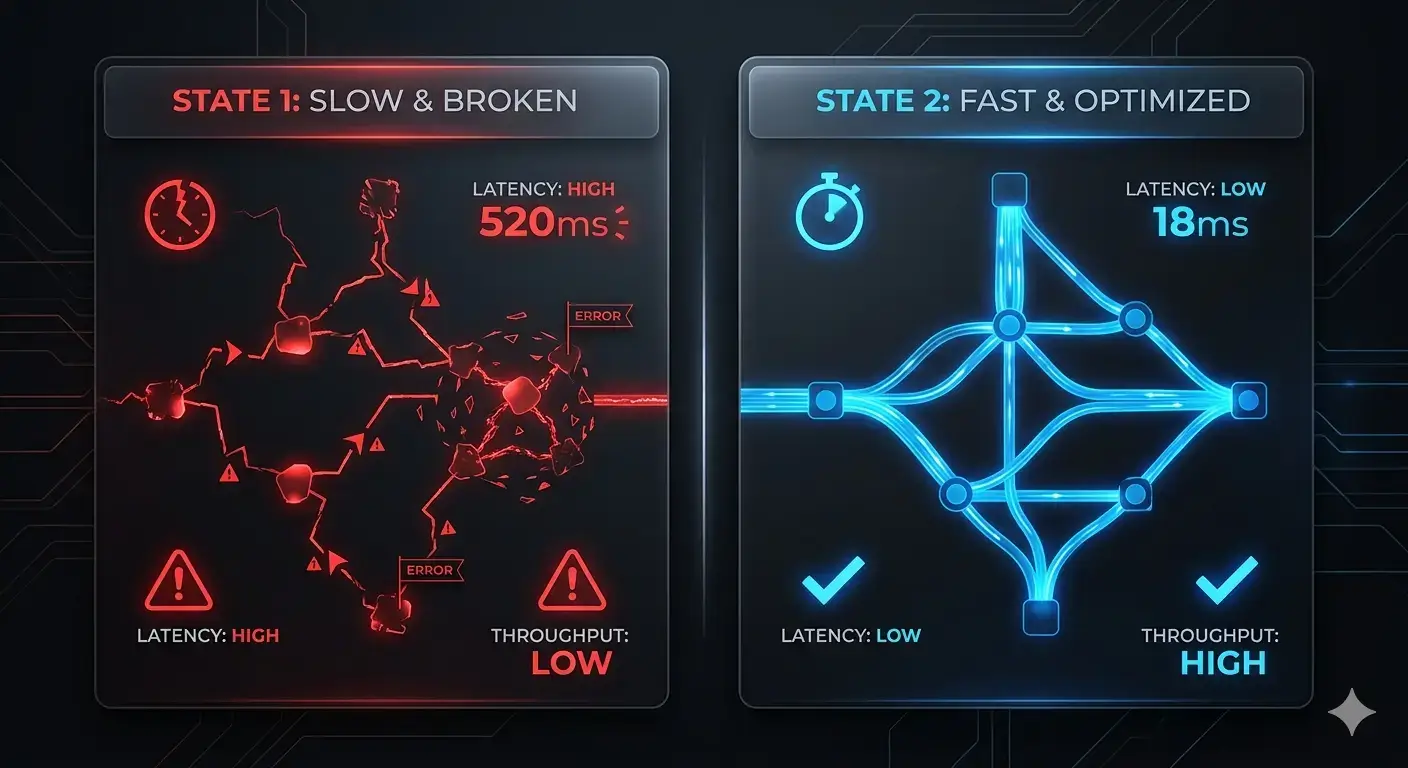
Most business owners don’t realize their website is underperforming.
Not because it’s offline.
Not because it looks bad.
But because of the silent website performance issues.
These issues don’t crash your website — they slowly reduce its effectiveness.
They affect:
- User trust
- Page speed
- Conversion flow
- Overall revenue
A visitor might not complain.
They simply leave.
This is how slow website problems turn into lost opportunities.
Most website owners focus on design or traffic.
But performance is what determines whether that traffic converts.
1. Unoptimized Images and Media Files
Large images are one of the most common causes of website speed issues.
Uploading full-resolution files without compression increases load time significantly.
This leads to:
- Slower page rendering
- Poor mobile experience
- Increased bounce rates
Even a visually perfect website can feel broken if it loads slowly.
Fixing media alone can dramatically improve perceived performance.
2. Excessive Scripts and Unused Code
Modern websites rely on multiple scripts — but most don’t need all of them.
Unused JavaScript and CSS increase load time and delay interaction.
Common problems include:
- Loading entire libraries for small features
- Third-party tracking scripts
- Poorly optimized themes
Website Performance Optimization: 7 Hidden Issues Slowing Your Site
These technical inefficiencies are often invisible but directly affect performance.
3. Weak Hosting and Server Response
Your server defines your baseline speed.
Even a well-built frontend cannot compensate for slow infrastructure.
Key issues:
- High server response time
- Shared hosting limitations
- Lack of proper caching
These are critical website performance issues that limit scalability.
4. No Caching or Content Delivery Network
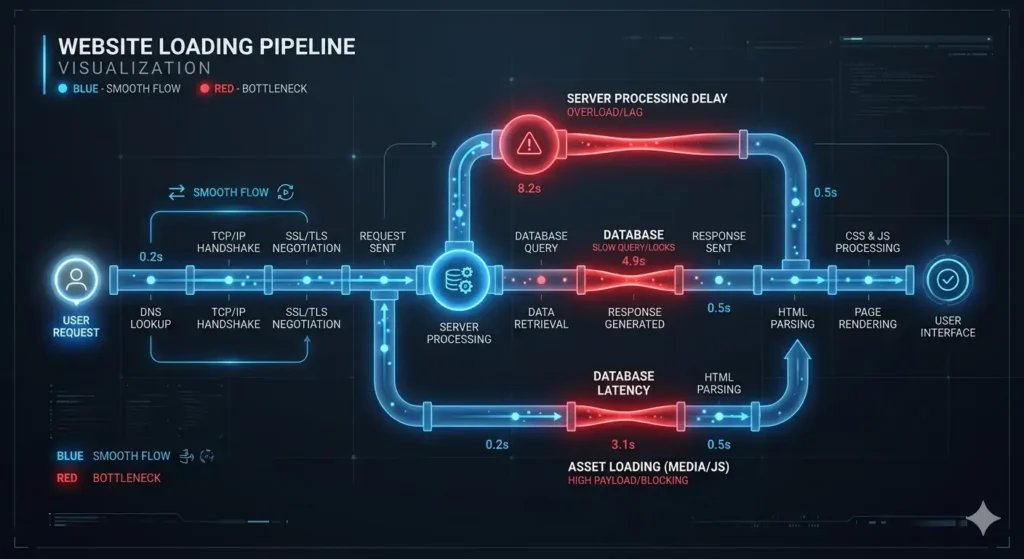
Without caching, your site rebuilds every page request.
Without a CDN, users far from your server experience delays.
This creates:
- Inconsistent load times
- Poor global performance
- Higher drop-off rates
Why Slow Website Impact Destroys Business Opportunities
Caching and CDN are not optional anymore — they are standard.
5. Too Many Plugins and External Tools
Plugins add functionality — but too many create instability.
Each plugin adds:
- Extra requests
- Additional scripts
- Potential conflicts
This creates long-term website performance issues that are difficult to trace.
Design Without Strategy Is Expensive Decoration
A system approach is required — not random tool stacking.
6. No Performance Monitoring
Most websites are never monitored after launch.
That means:
- No visibility into performance drops
- No alerts for slow pages
- No data for optimization decisions
Without tracking, even small issues grow into bigger problems.
This is where website performance optimization should begin.
7. Broken User Experience Flow
Performance is not just about speed — it’s about flow.
A user journey should feel smooth and uninterrupted.
But delays in:
- Navigation
- Form submission
- Page transitions
…break the experience.
This is where conversion rate optimization fails.
Users don’t analyze the issue — they simply exit.
Why These Issues Directly Impact Conversions
Every second of delay reduces engagement.
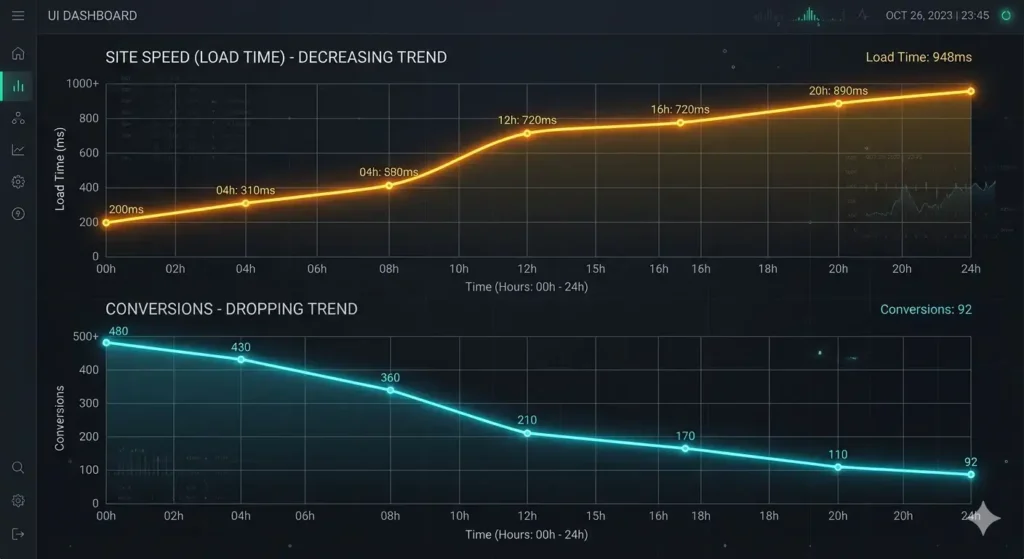
A slow loading website:
- Increases bounce rate
- Reduces session duration
- Lowers trust
Speed is perceived as reliability.
And reliability drives decisions.
This is why businesses investing in website speed optimization see measurable results.
How to Improve Website Speed Effectively
Fixing performance is not about one change — it’s a structured process.
To improve website speed, focus on:
- Compressing and optimizing media
- Removing unnecessary scripts
- Upgrading hosting infrastructure
- Implementing caching and CDN
- Reducing plugin load
- Monitoring performance continuously
Each step removes friction from the system.

Your Website Should Perform — Not Hold You Back
Hidden website performance issues don’t just affect speed.
They affect how your business grows.
Most of these problems are fixable — if you know where to look.
Fix Website Performance Issues Before They Start Costing You Clients
We identify and resolve technical bottlenecks that slow your website down and block conversions. Clear structure. Measurable improvement.
Most websites don’t need a redesign — they need performance correction.