

Most service websites don’t fail because of design.
They fail because they lack website trust signals, examples that users rely on to make decisions.
Visitors don’t analyze your website logically.
They scan it quickly and subconsciously ask:
“Can I trust this?”
If your website doesn’t answer that instantly, they leave.
This is why understanding website trust signals examples is critical for any business that wants to convert traffic into real clients.
Many businesses invest in design, branding, and content — but ignore the structural trust layer that actually drives conversions.
And that’s where the problem begins.
What Are Website Trust Signals?
Website trust signals examples are elements that reduce uncertainty and help users feel safe taking action.

They are not decoration.
They are decision triggers.
A strong website doesn’t just look good — it builds confidence through structure.
If your website looks modern but still doesn’t convert, you should read Why Your Website Feels Untrustworthy (Even If It Looks Good) and understand what’s missing beneath the surface.
7 Website Trust Signals Examples You Must Have

1. Clear Value Proposition Above the Fold
Users should instantly understand:
- What you offer
- Who it’s for
- Why it matters
If this is unclear, no trust is built.
This is one of the most overlooked website trust signals examples, yet it directly affects bounce rate.
2. Real Client Proof (Not Generic Testimonials)
Trust comes from proof.
Use:
- real names
- real companies
- real results
Avoid fake or vague testimonials.
If your website lacks proof, it creates friction similar to what’s explained in Why Your Website Traffic Isn’t Turning Into Revenue.
3. Transparent Contact & Business Information
Users want to know:
- who you are
- where you are
- how to reach you
Missing contact information is a major trust breaker.
It signals risk.
4. Fast Loading & Performance Stability
Speed is a trust signal.
A slow website feels unreliable.
Users associate performance with professionalism.
If your site is slow, check Why Slow Website Impact Destroys Business Opportunities to understand the real cost behind it.
5. Consistent Design & Structure
Consistency creates familiarity.
Familiarity builds trust.
Your:
- layout
- spacing
- typography
- components
should feel connected across pages.
Without structure, your website becomes confusing — similar to what happens in Design Without Strategy Is Expensive Decoration.
6. Clear Process or Workflow Explanation
Users trust systems.
Not randomness.
Explain:
- How your service works
- What happens next
- What they can expect
Websites without a system feel chaotic — as explained in What Happens When Your Website Has No System Behind It.
7. Secure & Frictionless Actions
Forms, booking, and payments must feel safe.
Use:
- clear steps
- confirmations
- predictable flows
Even small friction reduces trust.
This is why many websites suffer from hidden issues described in Small UX Fixes That Increase Conversion.
The Hidden Cost of Missing Trust Signals
When website trust signals examples are missing, nothing breaks visually.
But everything breaks functionally.
You may experience:
- low conversion rates
- abandoned forms
- hesitant users
- poor lead quality
This is not a traffic problem.
It’s a trust problem.
And most businesses don’t realize it.
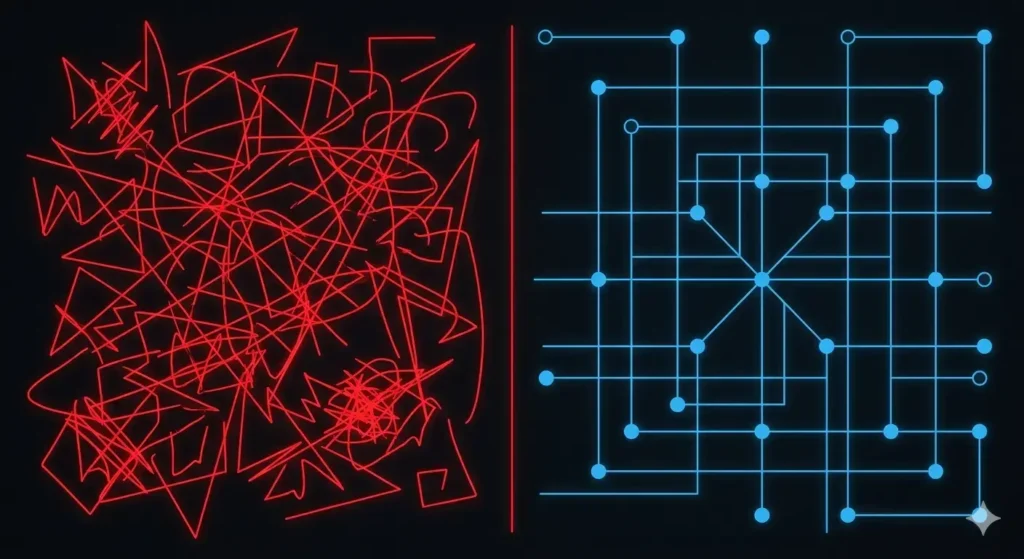
Trust Is a System — Not a Design Element
Trust is not a single feature.
It’s a system of signals working together.
If one layer is missing, the whole experience weakens.
This is why modern websites are moving toward structured systems rather than static pages.
You can explore this deeper in Website System Architecture: From Brochure to System.
Final Thought
Your website doesn’t need more design.
It needs a better trust architecture.
Because users don’t convert when they are impressed.
They convert when they feel safe.
Your Website Might Be Losing Trust Without You Knowing
Most websites look fine on the surface, but fail to build real trust where it matters.
We analyze your structure, identify missing trust signals, and fix what blocks conversions.