

Technical optimization website work is often misunderstood as a speed-score exercise. A business improves image size, removes a plugin, sees a cleaner report, and assumes the problem is solved. But conversions rarely improve when the deeper system still creates friction. The visitor may load the page faster, yet still face unclear messaging, weak trust, a broken form journey, slow customer handling, or no clear next step.
Real website performance optimization connects technical speed with business movement. It asks what happens after the page loads. Can the user understand the offer quickly? Does the form feel safe and simple? Is the lead captured properly? Does the team receive enough context to respond fast? A conversion-focused website is not only fast; it helps people move from interest to action without unnecessary resistance.
Why Technical Optimization Work Must Go Beyond Speed
Many slow website issues are visible in tools, but the most expensive problems happen after the first screen appears. A page can load in a reasonable time and still lose users because its structure is heavy, its scripts fight each other, or its mobile layout makes decisions harder.
This is where surface fixes fail. Compressing images helps, but it does not repair a confusing offer. Caching improves delivery, but it does not fix a form that asks too much too early. A cleaner score is useful, but website performance optimization should also reduce the effort required to act.
1. Faster Pages Need a Clear Conversion Flow
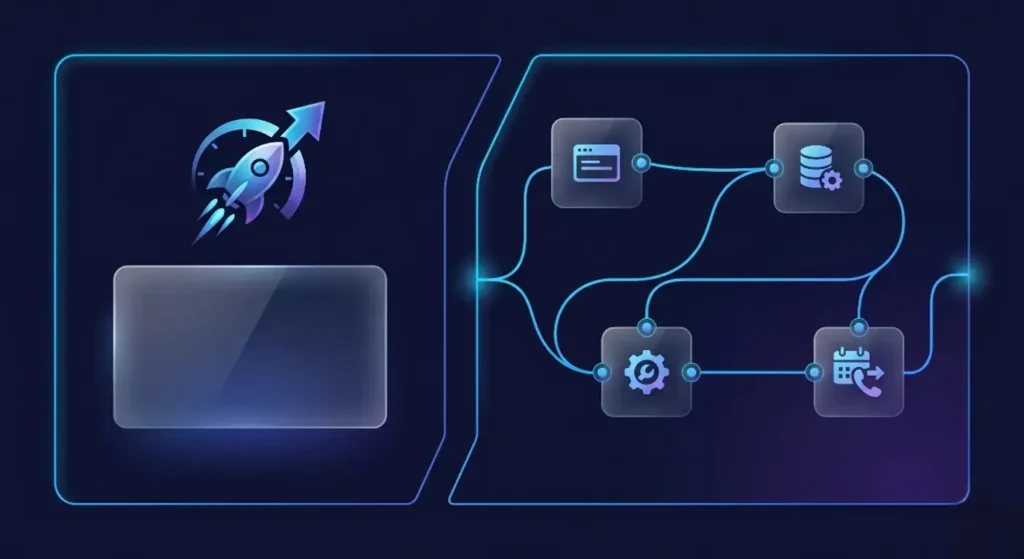
Speed gives users access. Structure gives them direction. When the conversion flow is unclear, visitors may scroll, hesitate, compare, and leave without contacting the business. Technical improvements should support the page journey: headline, proof, service clarity, CTA, form, and follow-up.
A conversion-focused website removes unnecessary steps. Buttons should lead to the right action, forms should match the user’s intent, and key sections should answer objections before they become exits. Without this layer, faster loading only delivers confusion more quickly.
2. Lead Capture Must Connect to Sales Handling
One of the biggest performance gaps starts after the form. The page may work, but the business response process is slow or manual. That creates missed opportunities, especially for service companies where timing affects trust.
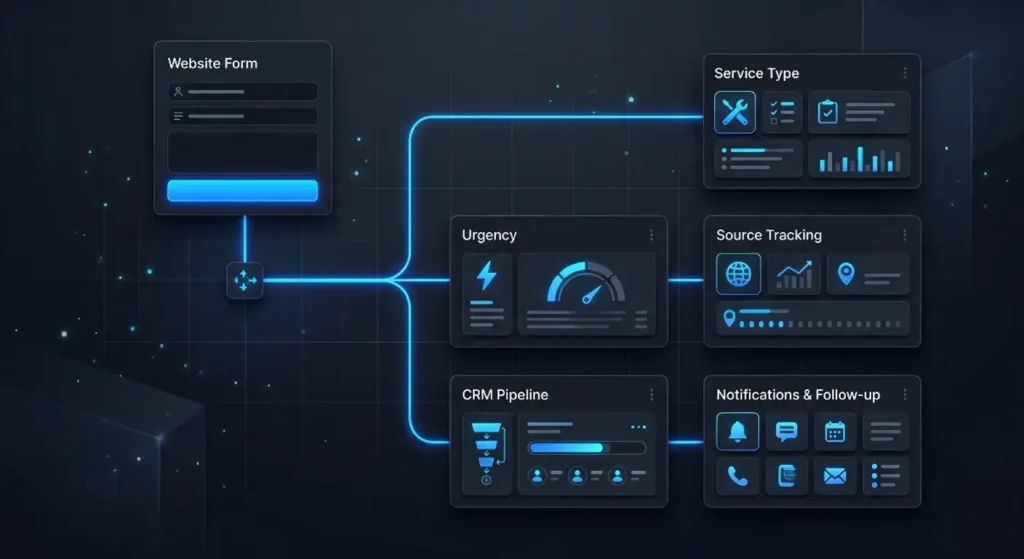
Lead flow automation improves this part of the journey. Instead of sending every inquiry into a general inbox, the website can route requests by service, urgency, budget, or source. With CRM integration, the team can see where the lead came from, what they asked for, and what action should happen next.
3. Technical Clean-Up Should Reduce Decision Friction
Performance is not only load time. It is also how easily users can decide. Heavy animations, unclear pricing blocks, hidden contact options, and unstable mobile layouts all increase friction. Even small delays inside menus, forms, or sliders can weaken trust.
A strong website automation system should not make the interface feel complicated. It should simplify the experience while improving operations behind the scenes. The user sees a clean journey. The business receives cleaner data, better notifications, and fewer manual gaps.
4. Better Optimization Protects Marketing Spend
Paid ads, SEO, and social traffic become more expensive when the destination page cannot convert. A campaign may bring the right visitors, but poor structure, weak speed, and disconnected tools can waste attention before sales conversations begin.
This is why technical optimization website planning should be tied to revenue logic. Which pages receive the most traffic? Which actions matter most? Where do users drop off? Which forms are completed but not followed up properly? The goal is not a perfect score. The goal is a website optimization process that protects every serious visit.
5. Measure Business Movement, Not Only Scores
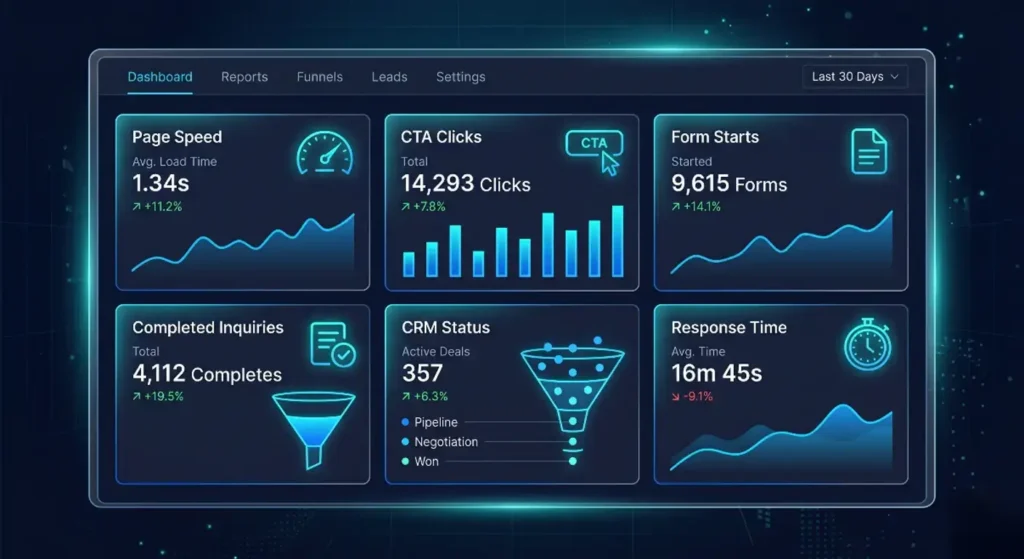
Tools are important, but they are not the whole picture. A business should track Core Web Vitals, form starts, form completions, CTA clicks, scroll behavior, CRM status, and response time. Together, these signals show whether the website is actually becoming easier to use and easier to manage.
The strongest results appear when technical work, UX, conversion flow, automation, and customer handling are treated as one system. That is when a website becomes more than a fast page. It becomes a sales asset that supports attention, action, and follow-up.
Stop Treating Speed as a Separate Problem
Your website should load fast, guide visitors clearly, capture leads properly, and help your team respond without losing context. If those layers are disconnected, technical fixes alone will not protect conversion flow.